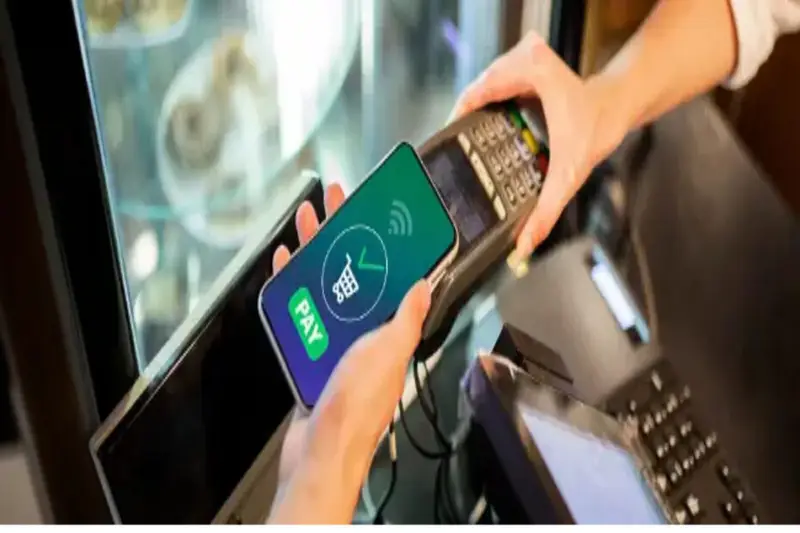

Knowing how to use a virtual card offers a range of advantages for those who want to shop both online and in physical stores.
The main advantage of this practice is security, reducing the chances of fraud and making it easier to block or even delete your card if necessary.
If you are interested in learning more about virtual cards on POS terminals, online, and their benefits, check out our article.
What is a virtual card?
A virtual card, or virtual credit card, functions exactly like a regular credit card, the difference being that there is no physical version.
Like traditional cards, a virtual card has a sequence of identification numbers, a security verification code (CVV), and an access password.
Because it is completely digital, it offers greater security. This allows you to create a different virtual card to pay for each of your purchases, setting a limited expiration date or simply deleting it.
Is it possible to use a virtual card on the card reader?
Generally speaking, it is possible to use a virtual card at a point-of-sale terminal.
However, to use the contactless payment option, you need a modern mobile phone with NFC technology and to pay at terminals that offer contactless payment.
Another way to use a virtual card is to register it in a digital wallet.
Step-by-step guide on how to use the virtual card in the card reader
Before we begin, it’s important to point out that to use a virtual card you need an account with a financial institution or bank and a physical card.
This is necessary because the virtual version of the card will share the same account information as the physical card.
Therefore, the cards will share the same credit limit and billing information, with the main difference being only how they are used.
Now, check out the step-by-step instructions below on how to use the virtual card on the card reader:
1. Access your bank’s app
The first step is to have a virtual card. If you don’t already have one, you’ll need to create one in your financial institution’s or bank’s app.
Doing this is very simple; log in to the app that’s enabled for transactions on your phone.
If your app isn’t yet enabled for transactions, you’ll need to go to your branch or ATM to enable the app.
2. Create the virtual card
With the app unlocked, simply access the Cards option and click on Virtual Card or a similar option.
Then just fill in the information requested by the app and issue the card using your password.
3. Check if the “Pay by proximity” option is available
Once you have received your card, check if there is an option to pay directly through the app.
Digital banks usually offer this option, but some traditional banks also offer this payment method.
If it is not available, you will need to use a digital wallet to make purchases in physical stores with the virtual card.
4. Register the virtual card in a digital wallet.
Some well-known and secure wallet options include:
- Apple Pay (Android | iOS)
- Google Pay (Android | iOS)
- PicPay (Android | iOS)
These wallets work by storing your card details and enabling payments through them.
To use them, simply download the app and register your virtual card information: name, number, CPF (Brazilian tax ID), expiration date, and security code.
5. Access your digital wallet
When making a payment, open your digital wallet app, choose the card you want to use, and enter your password.
You will need to do this every time, as it’s a method these apps use to prevent fraud.
6. Complete the payment
When your virtual card image appears, simply hold it close to the payment terminal to make the payment.
That’s it! You will then receive the receipt via email or SMS and can view your purchase details in your app, whether it’s your digital wallet or your bank’s app.
How do I use a virtual card for online purchases?
Using a virtual card for online purchases is even simpler, after all, it was originally created for that purpose.
With a digital card available in your app, simply enter your details at the time of purchase, just as you would with a physical credit card.
What is needed to accept virtual card payments?
To accept this type of payment in your physical store, simply use a card machine that accepts contactless payments.
This way, your customers can use their bank’s app or digital wallet to make payments.
If you already have a card machine, it’s worth checking its features to see if it has this capability.
To accept purchases made with virtual cards online, you will need to use an online payment system.
These services offer the option of generating links or QR codes for payments. To do this, simply choose a payment system and integrate it with your online store.
Before choosing a service option, remember that it’s important to check the offered plan options, fees, and accepted card brands before contracting a payment platform.
What are the main advantages of a virtual card?
Virtual cards offer several benefits for both consumers and stores.
Therefore, this payment method is becoming increasingly popular. Check out its main benefits below:
- Convenience, since there’s no need to carry a wallet to keep both cash and physical cards.
- Security and control, reducing the chances of fraud and offering quick action in case of unforeseen events.
- Allows you to create cards for one-time purchases.
- Transactions in this model are made through secure platforms.
- Offers greater control over payments.
Security tips for using your virtual card
One of the main advantages of this type of card is security.
Despite this, there are some important actions to take to increase the protection of your account and personal data.
Here are some tips to help you feel more secure when using your virtual card:
- Adopt good cybersecurity practices on your devices. Use antivirus software, use strong passwords, don’t use the same password for all your accounts, and only browse on secure Wi-Fi networks.
- Don’t lend your card to third parties.
- Use your card only on secure websites.
- Don’t save your card details in stores. Whenever possible, generate a new card for each online purchase.
- Don’t provide personal and card details to strangers.
- Always keep your bank app and digital wallet updated.
How do I track my virtual card spending?
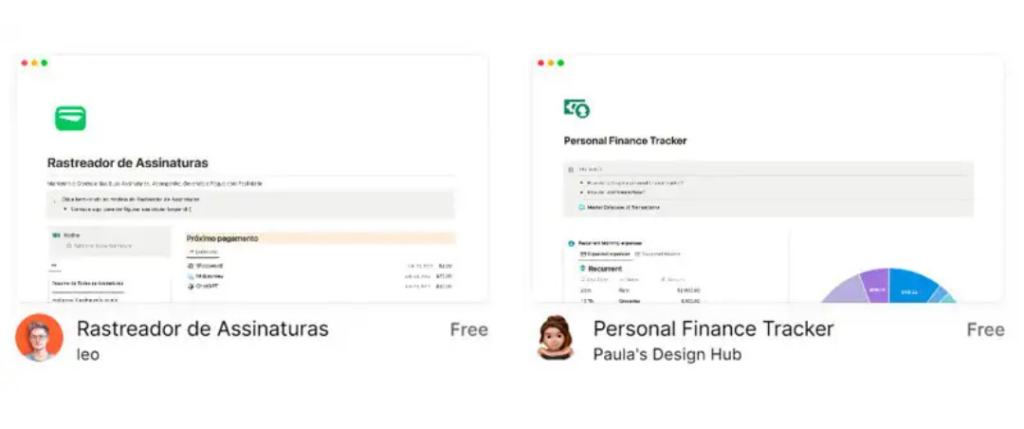
Our tip for managing your spending with a virtual card is to use Notion.
Notion is a productivity app that offers various tools for organizing tasks, information, and projects.
Through it, you can use features to do everything from tracking expenses and income to creating budgets and monitoring investments.
The great thing is that this app makes it easy to visualize and manage your spending.
This is because Notion allows you to create personalized dashboards to aggregate your information, schedule reminders, and even see the progress of financial goals.
Those who don’t have much experience creating this type of document can use ready-made templates created by other users, free of charge.
Have you learned how to use the virtual card?
We hope our article has helped you better understand how to use the virtual card and offered some important tips for your security.